
Budget app for iPhone & iPad
Save first. Spend what’s left.
Daily Jar is a monthly budget planner with a savings jar. Set aside what you want to save, split the rest across your categories, and always know what’s left to spend this month.

Free · iOS 17 or later
No account, no bank login

How it works
Three steps. One calm month.
 STEP 1
Save first
Enter your monthly income and choose how much goes in the jar. That money is set aside before anything else.
 STEP 2
Give the rest a job
Split what’s left across your categories. Flexible quietly takes whatever you haven’t assigned.
 STEP 3
Spend what’s left
Log as you go. Budgets always shows what’s left to spend this month, with your saving already taken out.
Savings jars
Small savings. Big plans.
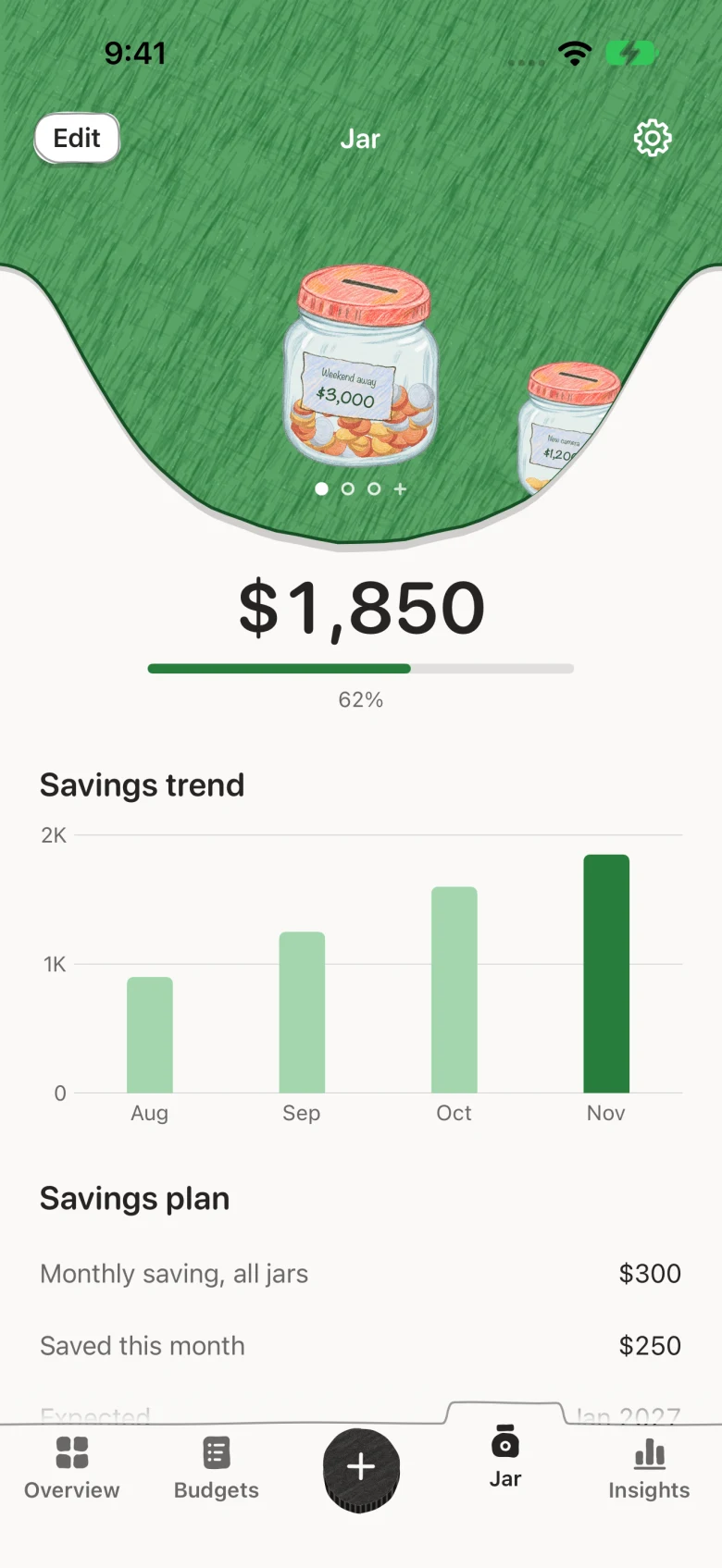
Record what you set aside and watch coins pile up in a glass jar. The jar fills by how close you are to your goal, not by how many times you tapped.
Add a target and Daily Jar estimates when you’ll reach it, like “about Jul 2027.” Saving for a trip and a new laptop at once? Give each its own jar.
- One jar free
- More jars with Pro
Quick expense tracking
Little spends. Logged in seconds.
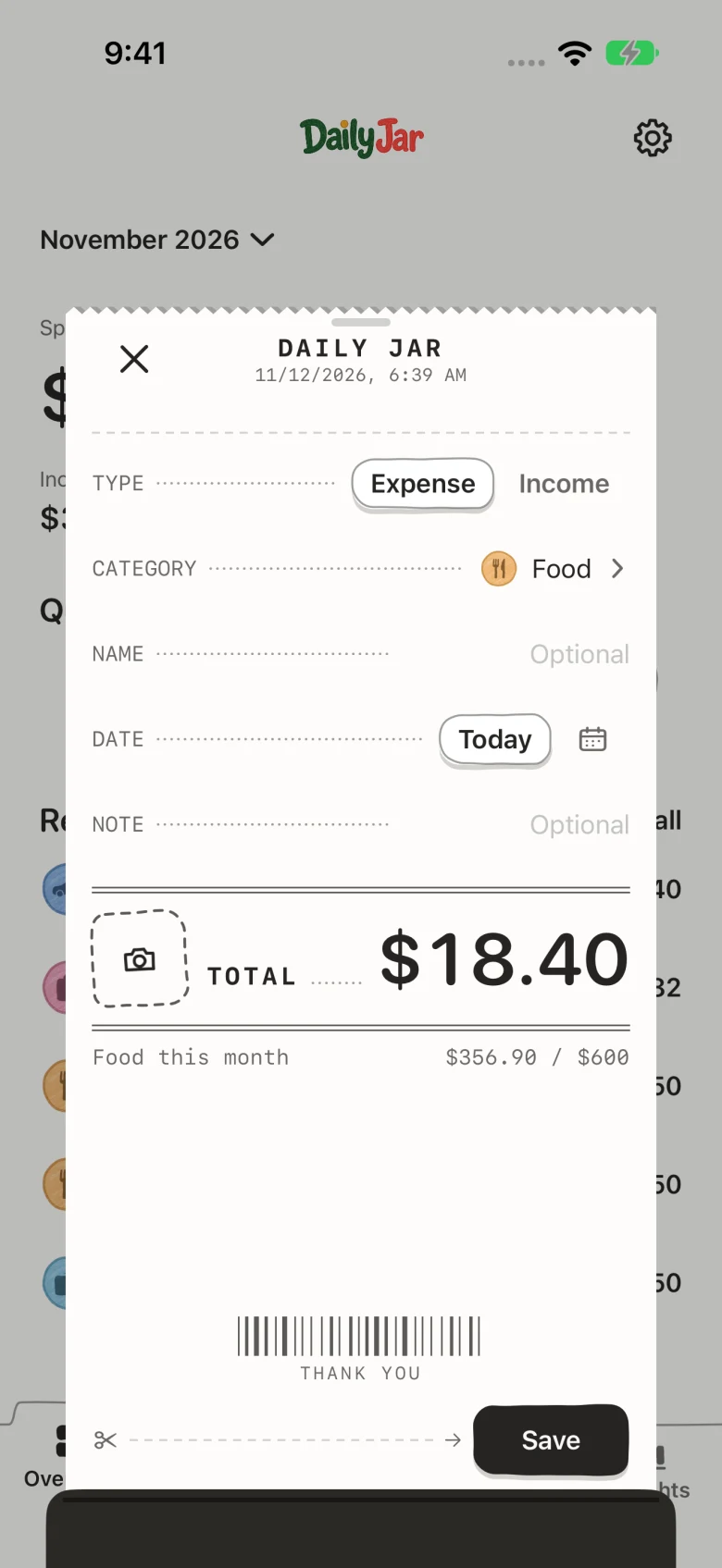
Tap + and a little receipt slides up. Type the amount, pick a category, save. That’s the whole expense tracker.
Log without opening the app, too: Home Screen and Lock Screen widgets, a Control Center button, Shortcuts, or a double tap on the back of your iPhone.
- Widgets
- Control Center
- Back Tap
- All free
Category budgets
A little plan. Room to enjoy.
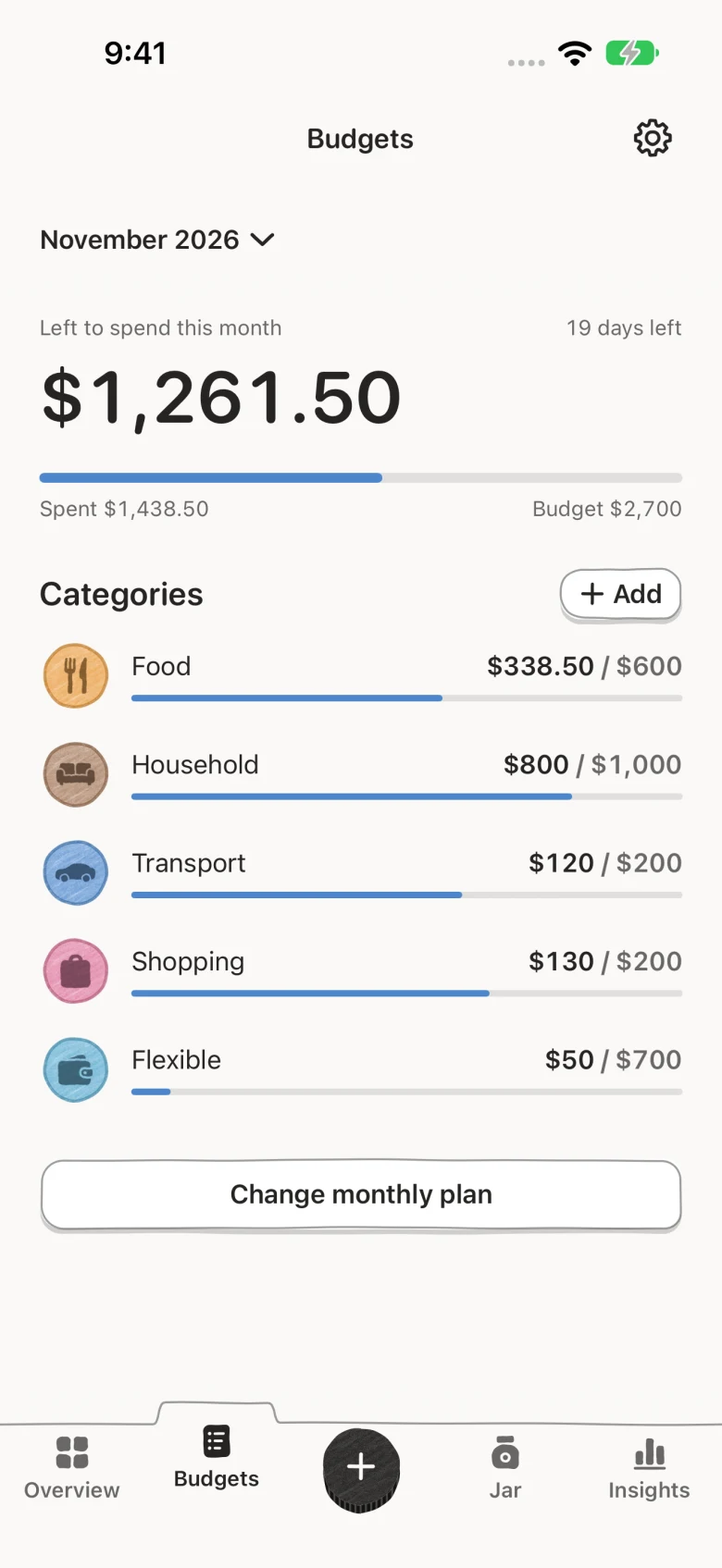
Give Food, Transport, Home and your own categories a monthly budget. Budgets shows what’s left to spend this month and how each category is doing.
Spent more than planned? Log it anyway. The category turns red and shows how far over you are. On the 1st, spending starts fresh and your plan carries over.
- Left to spend
- Honest when you go over
Photo stickers
Your month. In little memories.
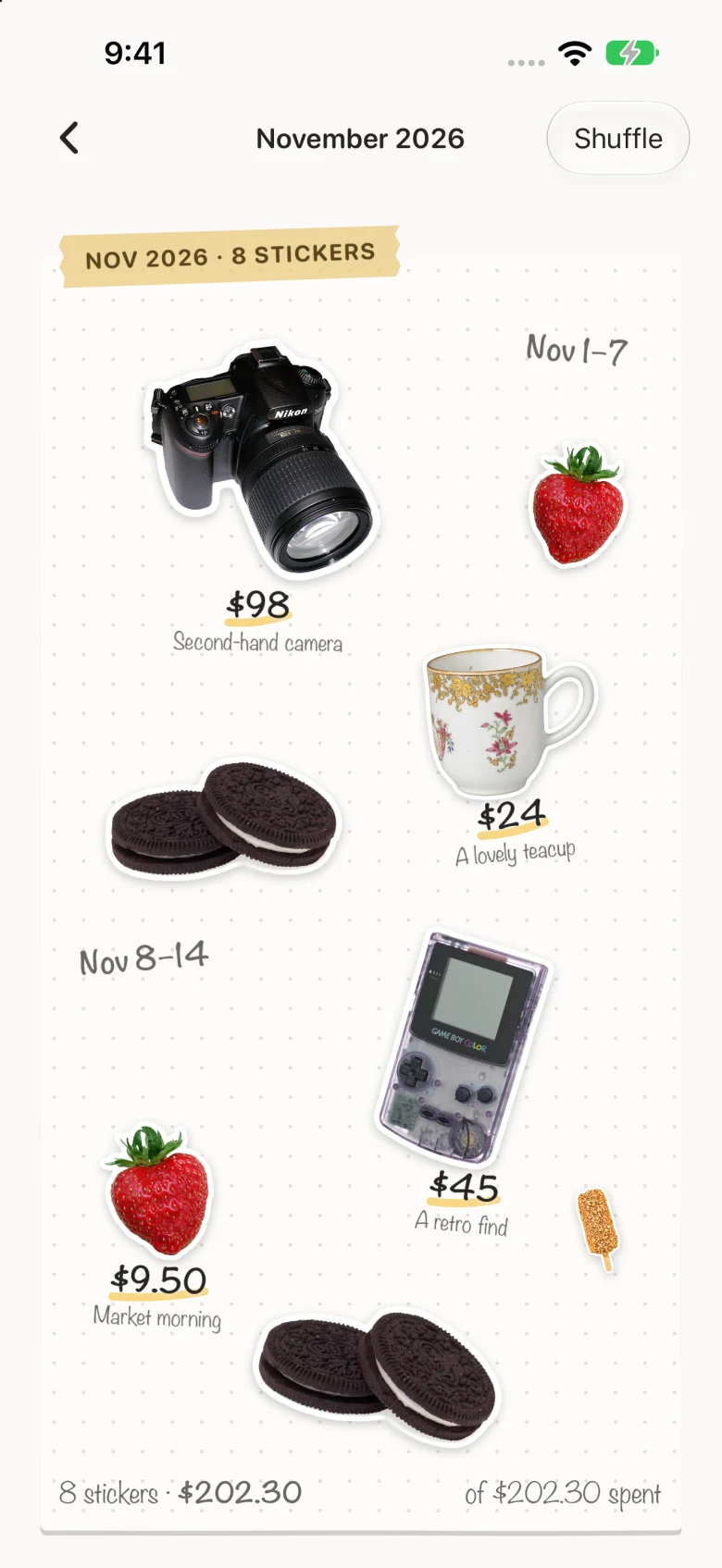
Snap something you bought. Daily Jar cuts it out on your device, suggests the price, and keeps it as a sticker with the entry.
Each month’s stickers fill a page in your sticker book, so your budget becomes something you like looking back on.
- 3 free stickers a month
- Unlimited with Pro
Spending insights
See where your money goes.
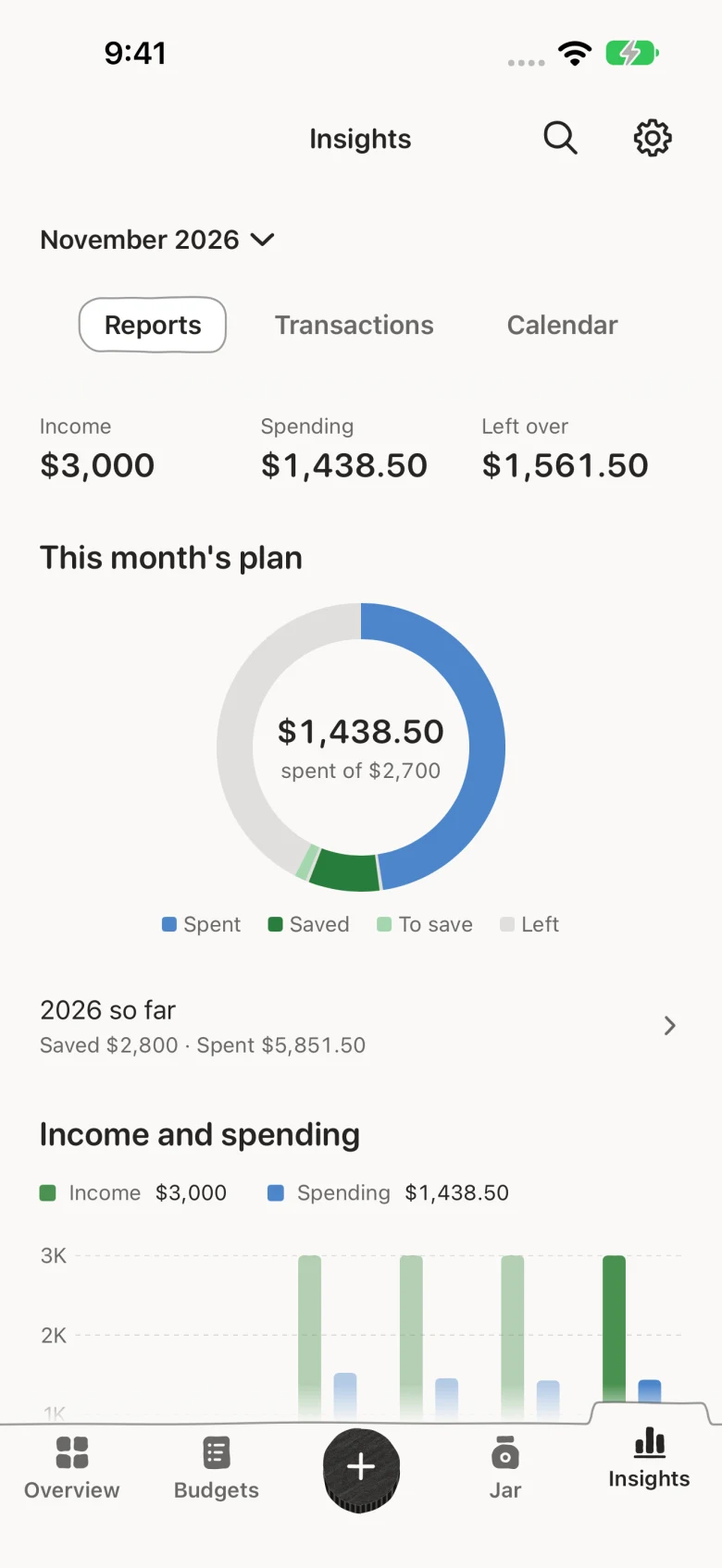
Compare income and spending, see each category’s share of the month, or find a day’s entries on the calendar.
With Pro, look back on the whole year month by month, search every entry, and export to CSV.
- Monthly reports
- Calendar
- Year view with Pro
Free & Pro
Free to budget. Pro when you want more.
Everything you need to plan, track and save is free. Daily Jar Pro adds sync, more jars and the full sticker book.
DAILY JAR
FREE
- Monthly budget plan
- Expense & income tracking
- One savings jar
- Monthly insights & calendar
- 3 photo stickers a month
- Widgets, Control Center, Back Tap
No ads and no time limit. Every free feature stays free.
DAILY JAR
PRO
- Unlimited stickers & full sticker book
- More savings jars
- iCloud sync across iPhone & iPad
- Face ID lock
- Search & filters
- Recurring expenses
- CSV export
- Full-year view
Eligible monthly subscribers can try Pro free for 7 days. The App Store shows the price for your region and when billing starts.
Private by design
Your money. Your business.
Daily Jar has no account and no server holding your budget. We can’t see your records, and Apple handles Pro purchases.
Read the Privacy Policy- No sign-up, no email, no password
- No bank login. You type what you spend.
- Stays on your device, or in your own private iCloud with Pro sync
- No ads, no analytics. App Store privacy label: Data Not Collected
Questions
Good to know before you start.
Is Daily Jar free?
Yes. Daily Jar is free to download, and the free app includes monthly planning, expense tracking, one savings jar, monthly insights, widgets, and three photo stickers a month. Daily Jar Pro is optional: a monthly or yearly subscription, or a one-time Lifetime purchase. The App Store shows the price for your region before you buy.
What does “save first” mean?
Many people plan to save whatever is left at the end of the month, and often nothing is. Daily Jar flips the order: you choose how much to save at the start of the month, and the app budgets only what’s left. “Left to spend this month” already has your saving taken out.
Does Daily Jar connect to my bank?
No. There is no bank login and no Daily Jar account. You record income and spending yourself, which takes a few seconds with the + button, a widget, or Back Tap. Your records stay on your device, and in your own private iCloud if you turn on Pro sync.
Can I log an expense without opening the app?
Yes. Use a Home Screen or Lock Screen widget, the Control Center button, the Shortcuts app, or set up Back Tap to start an entry with a double tap on the back of your iPhone. All of these are free.
Does it work on iPad?
Yes. Daily Jar runs on iPhone and iPad with iOS or iPadOS 17 or later. With Pro, iCloud sync keeps the same budget on both.
Which currencies and languages does it support?
Twelve currencies: US dollar, euro, British pound, Japanese yen, Chinese yuan, Korean won, Hong Kong dollar, New Taiwan dollar, Singapore dollar, Australian dollar, Canadian dollar and Swiss franc. You pick one per budget and amounts are never converted. The app is in English and Simplified Chinese.
Make room to save.
Daily Jar is free on the App Store for iPhone and iPad.